Category Review — Design AI
AI is accelerating design workflows across UX/UI, graphics, branding, and prototyping. We reviewed 6 leading design AI platforms — evaluated on UI generation quality, collaboration features, export flexibility, and copyright safety.
Top Rated — Design AI
Independent reviews based on AI generation quality, integration depth, collaboration features, and ease of use. Updated March 2025.
The world's leading collaborative design platform, now with deeply integrated AI. Figma's AI features generate UI components from prompts, remove backgrounds, rewrite copy, and auto-rename layers — helping product teams move from idea to prototype faster than ever.

The world's most accessible design platform with a comprehensive AI suite. Canva's Magic Design, Magic Write, and Magic Edit tools enable anyone to produce professional-quality graphics, presentations, videos, and social content without design training.

Adobe's commercially-safe generative AI model built for professional creatives. Firefly generates images, vectors, textures, and typefaces trained exclusively on licensed content — making it the only enterprise AI image generator with full indemnification against copyright claims.
AI-powered UI design tool that turns wireframe sketches, screenshots, and text prompts into editable UI mockups in seconds. Uizard is the go-to tool for product managers and startup founders who need to communicate design ideas without Figma skills.
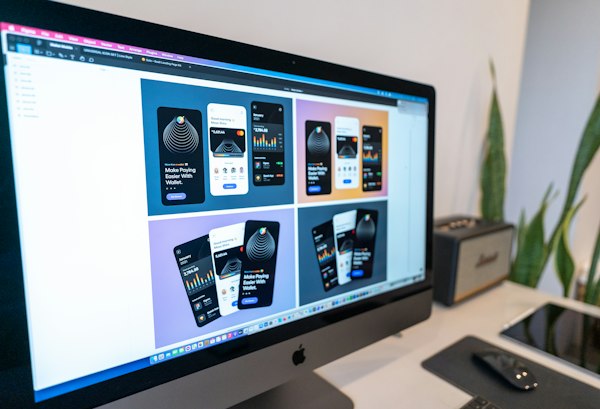
Cutting-edge AI UI/UX generation tool that creates full design files from natural language descriptions. Galileo can design entire app interfaces — multiple screens with realistic UI components — from a brief prompt, directly exportable to Figma.
AI-powered logo and brand identity generator. Looka creates professional logos, brand color palettes, font pairings, and complete brand kits in minutes using AI trained on millions of design patterns — ideal for startups and small businesses.
Side-by-Side Analysis
Our comparison tool lets you match any two design AI platforms across 20+ criteria — from UI generation quality and Figma integration to collaboration features and pricing models.
Quick Reference
Key metrics for design teams and product professionals evaluating design AI platforms.
| Agent | Score | Starting Price | Free Tier | AI Generation | Figma Export | Collaboration | Best For |
|---|---|---|---|---|---|---|---|
| Figma AI | 9.2/10 | $15/editor/mo | Yes | Yes | Native | Yes | Product teams |
| Canva AI | 9.0/10 | $15/month | Yes | Yes | No | Yes | Social & graphics |
| Adobe Firefly | 8.8/10 | $5.99/month | No | Yes | Yes | Yes | Enterprise creatives |
| Uizard | 8.5/10 | $19/month | Yes | Yes | Yes | Partial | PM & startups |
| Galileo AI | 8.2/10 | Waitlist | No | Yes | Yes | Partial | Full-screen design |
| Looka | 8.0/10 | $20 one-time | Yes | Yes | No | No | Logo & branding |
Pricing as of March 2025. Free tier availability and features vary by plan. Verify current pricing and export capabilities with vendors before purchase decisions.
Buyer's Guide — Design AI
Design AI has collapsed the gap between idea and execution. Product teams that once spent weeks iterating on mockups can now generate multiple UI variants in minutes. Brand startups that needed to hire expensive design agencies can create professional logo systems in hours. The democratization is real — and accelerating.
But the design AI landscape breaks into two distinct camps. Professional design tools with AI features (Figma, Adobe Firefly) layer generative capabilities onto existing collaborative workflows, keeping design governance and asset management intact. AI-first design tools (Canva, Uizard, Looka) prioritize speed and accessibility over design precision, trading some control for ease of use. The right choice depends on whether your team values integration depth or rapid prototyping.
If you're generating commercial design assets, training data and copyright policy matter more than features. Adobe Firefly stands alone with full indemnification against copyright claims — its generative model is trained exclusively on licensed content, making it the only enterprise image generator with true legal protection.
By contrast, general-purpose image generators like Midjourney operate in legal grey areas. Their models are trained on internet-scraped images, and users assume the copyright risk. For startups and enterprises protecting brand assets, this distinction is material. Insurance carriers and procurement teams increasingly require vendors to demonstrate commercially-safe training practices before deployment.
Figma, Canva, and Uizard use a mix of licensed and general AI models — acceptable for internal prototyping and social content, but less suitable for final commercial assets without legal review. Always verify your vendor's training data policy and indemnification terms before committing to a platform.
Design rarely happens in isolation. Figma AI's advantage is native integration within the world's most popular design collaboration platform — teams can generate, iterate, and hand off without context-switching. Adobe Firefly integrates deeply with Creative Cloud, making it the logical choice for agencies already on Adobe. Canva and Uizard are stronger for solo designers and non-designers who need speed over team coordination.
The Figma export question matters too. Galileo AI and Uizard can export directly to Figma, making them valuable for teams that need hand-off workflows. Looka is UI-isolated and PDF-based — useful for logo exploration but not product design systems.
Related Reading
Head-to-head comparison of the two most popular design platforms and their AI capabilities — from collaboration features to export flexibility and pricing.
Read article →Training data policies, indemnification clauses, and commercial safety — the legal framework every design team needs before using generative AI.
Read article →Real-world workflows for AI-assisted UI design — how PMs and designers are accelerating iteration cycles with generative design tools.
Read article →